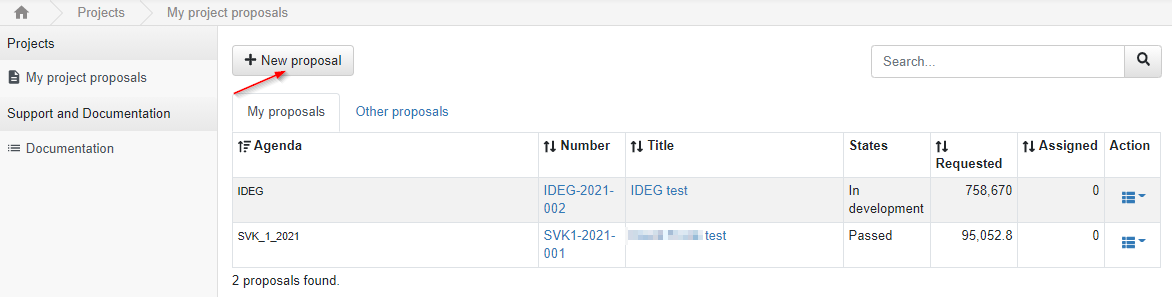
Creating a new project proposal
To create a new project proposal, click the  tab on the “My project proposals” page. Alternatively, you can click “Create new project” link on
 home page.
Figure 6: Projects – My projects proposal page – Creating a new project
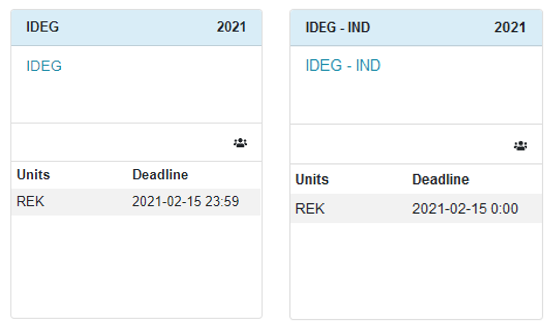
You will be redirected to the page featuring active competitions. Here you need to click:
· IDEG – if you are creating a team project (i.e. main implementor and up to 2 co-implementors).
OR
· IDEG – IND – if you´d like to create an individual project (i.e. only individual implementor).
Figure 7: Creating a new IDEG project – picking team/individual project
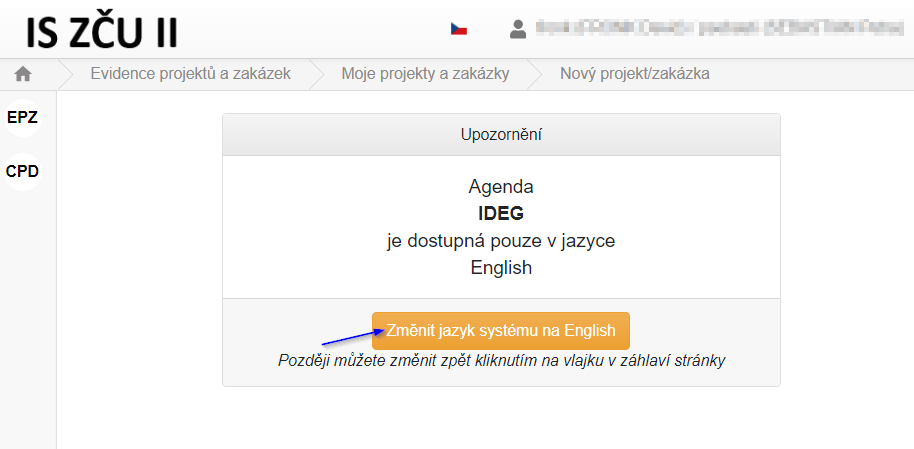
You will be asked to switch your language to English by clicking a yellow button as IDEG is only available in English:
Figure 8: Changing the site language
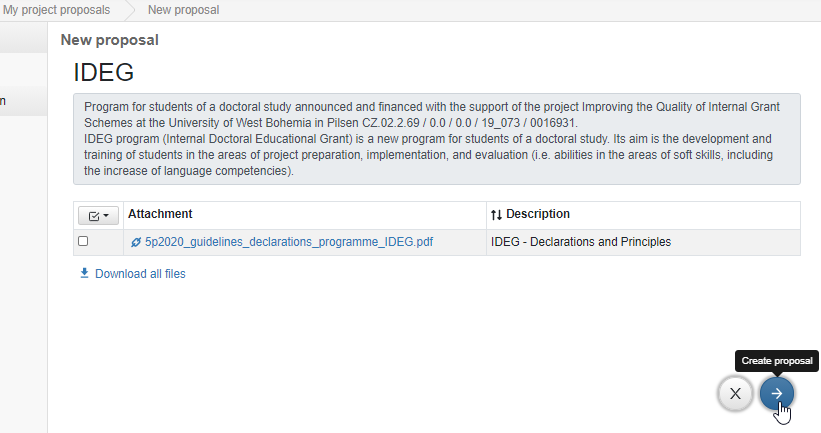
Next you will be taken to the introductory page of IDEG agenda. Here you can review basic information about a programme together with Vice-Rector’s Instruction No. 5P/2020 INTERNAL GRANT PROGRAMME – IDEG. To proceed, click  arrow icon in the right bottom corner of the page.
Figure 9: My project proposals – New proposal – Agenda call page
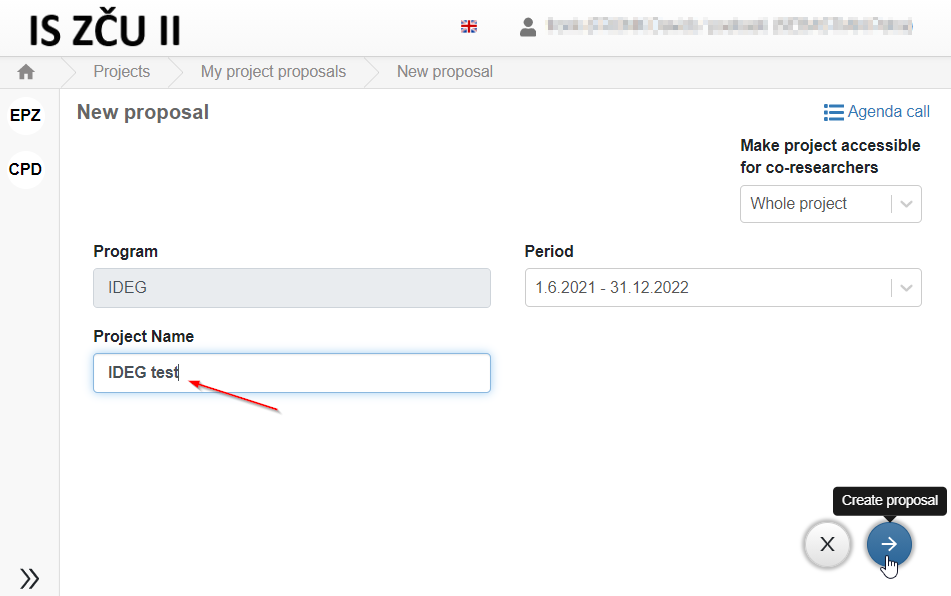
On the next page, you need to type in the name of your project and click  arrow icon in the right bottom corner of the page to create your proposal.
Figure 10: My project proposals – New proposal – Intro page